TL;DR
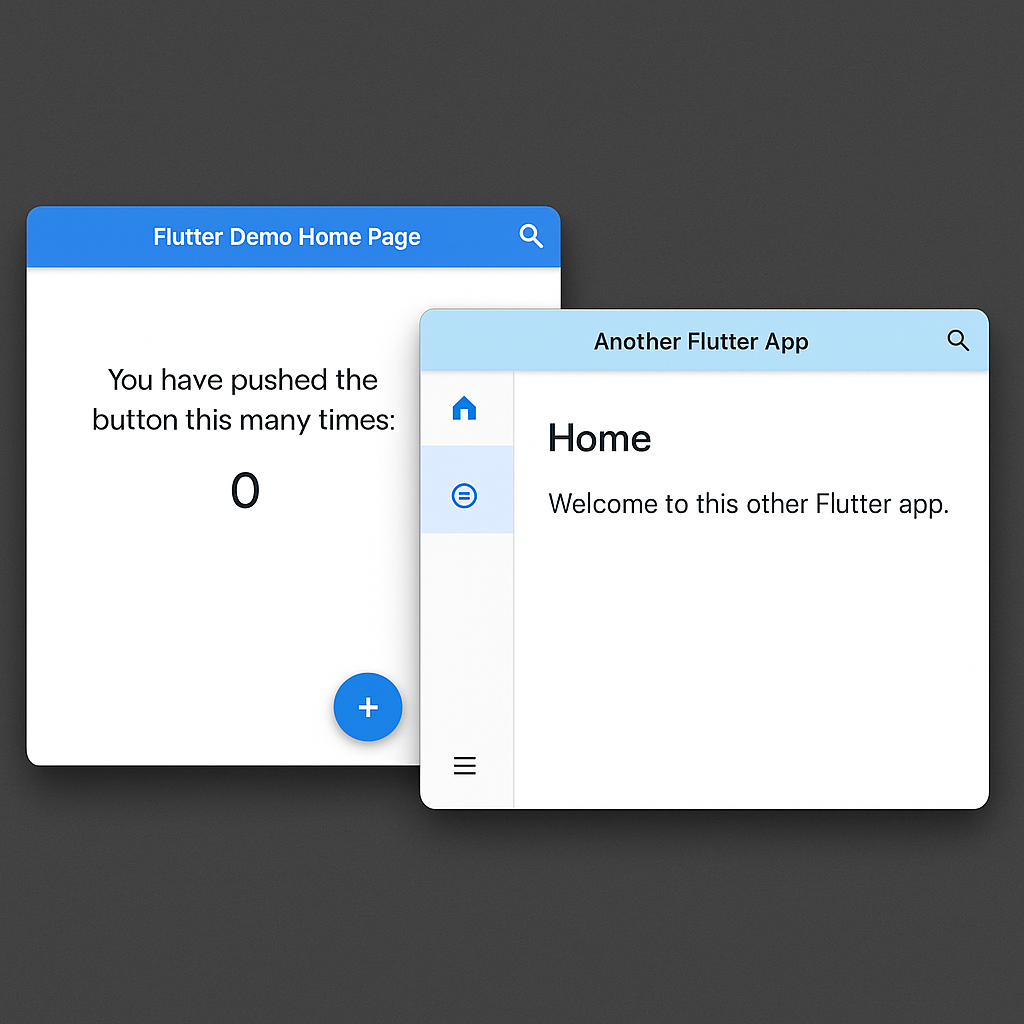
Flutter’s experimental Desktop Windowing API lets one Flutter app create real native windows on Windows, macOS, and Linux. It supports regular windows, dialogs, popups, tooltips, and satellite windows while keeping them in one widget tree.
What Changed
Flutter and Canonical have introduced a cross-platform windowing model for desktop apps. The API is currently on Flutter’s main channel behind an experimental flag – it is not intended as a stable production API yet.
The important change is architectural. Desktop UI no longer has to fake every dialog, menu, and tooltip as an overlay trapped inside one application window.
1. Enable Flutter Desktop Windowing
Use the main channel because the API is still experimental.
flutter channel main
flutter upgrade
flutter config --enable-windowing
Do not move a production app to main only for this feature unless you can absorb API changes.
2. Create a Native Window
A `WindowController` owns the native window configuration.
final controller = WindowController(
  title: 'My Application',
  size: const Size(800, 600),
);
Flutter currently defines five window types – regular, dialog, popup, tooltip, and satellite. Each type has behavior that maps to common desktop UI patterns.
3. Render Flutter Into the Window
Use the controller with a `Window` widget.
Widget build(BuildContext context) {
  return Window(
    controller: controller,
    child: const MyPage(),
  );
}
The windows remain part of one Flutter widget tree. That means app state can be shared without building a separate isolate or messaging layer for each window.
4. Create a Dialog Window
Dialogs use their own controller and can reference a parent window.
final dialogController = DialogWindowController(
  title: 'Confirm',
  size: const Size(400, 300),
  parent: parentController,
);
Flutter is also working on Material integration. The goal is for APIs such as `showDialog`, `showMenu`, and `Tooltip` to use native windows automatically when the platform supports them.
Verify It Works
Run the project on Windows, macOS, or Linux after enabling the feature flag. Opening the additional view should create an independent native desktop window rather than an overlay constrained by the original Flutter view.
Why This Matters for Flutter Desktop
Multi-window support removes one of Flutter desktop’s long-standing limitations. Editors, productivity tools, IDE-style apps, media tools, and other desktop-first software can use floating toolboxes, separate documents, native dialogs, and menus that extend beyond the main window.
The implementation is a collaboration between Canonical and Google. Canonical led much of the API design and implementation after years of work on Flutter’s Linux desktop stack.
Performance & Pitfalls
- The API is experimental and can change before reaching stable.
- Test behavior separately on Windows, macOS, and Linux.
- Keep window ownership and destruction explicit to avoid orphaned native windows.
- Shared state is easier because windows live in the same widget tree.
References
Related FlutterWire Posts
Tested Versions
Tested against Flutter 3.47 stable documentation and the experimental windowing API available on Flutter main – Dart 3.13.
Leave a Reply